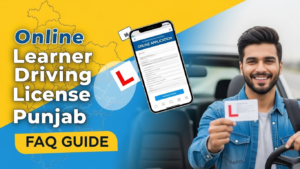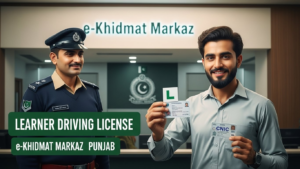

Are you eager to get your learner driving license online without wasting time standing in long queues? The digital era has made the process faster, safer, and more convenient. Whether you are a first-time applicant or renewing your learner license, applying online is now easier than ever. This guide walks you through the entire process, the required documents, fees, and practical tips to get your license smoothly.
What Documents Are Required for the Online Application Process?
Before starting your online application, gather all the necessary documents. Typically, you will need:
- National Identity Card (CNIC) or Form-B for minors
- Passport-sized photographs
- Proof of residency (like a utility bill or rental agreement)
- Previous driving license (if renewing)
Having these documents ready ensures a smooth application and avoids delays. Always scan them clearly and ensure all details are legible before uploading.
How Can I Apply for an Online Learner Driving License?
Applying online is simple if you follow these steps carefully:
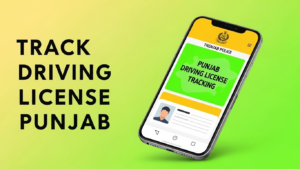
- Visit the official E-License Punjab portal and create an account.
- Log in with your credentials and select “Apply for Learner Driving License.”
- Fill out the application form accurately, including your personal and contact details.
- Upload the required documents as per the guidelines.
- Pay the fee using the available online payment methods.
- Submit the application and save the confirmation slip or receipt for future reference.
The portal is designed to be user-friendly, and the step-by-step prompts ensure that applicants do not miss any required information.
What Are the Fees Associated with Applying for an Online Learner Driving License?
The fees for obtaining an online learner driving license may vary based on the type of vehicle (motorcycle, car, or commercial vehicle). Generally, the cost is affordable and transparent, and the online portal displays the exact fee before submission. Make sure you have a valid payment method, such as a debit/credit card or mobile banking option, ready to complete the process quickly.
How Long Does It Take to Receive the Online Learner Driving License?
Once your application is submitted and payment is verified, processing usually takes 3 to 7 business days. Some applicants may receive their license sooner, while others might experience a slight delay depending on the verification of documents. To avoid any inconvenience, ensure all uploaded documents are correct and readable.
How to Download Your Learner Driving License
After approval, you can easily download or print your learner driving license:
- Log in to the portal using your credentials.
- Navigate to the “Download License” section.
- Download the PDF version of your license or print a hard copy.
This digital license is valid for all practical purposes and can also be shown via your smartphone if needed.
Guidelines for Uploading Documents
To prevent rejection of your application, follow these tips while uploading documents:
- Ensure all files are clear, legible, and in accepted formats (JPEG, PNG, or PDF).
- Check that photographs and CNIC scans are current and not blurred.
- Do not exceed the maximum file size limit specified on the portal.
- Double-check that your personal information matches your official documents exactly.
Following these guidelines saves time and ensures a hassle-free application process.
Final Thoughts
Getting your learner driving license online in Punjab has never been easier. By gathering the right documents, understanding the fees, and following the portal instructions carefully, you can skip long queues and save valuable time. Remember, accuracy and timely submission are key to avoiding fines or application delays. With a few simple steps, you can be on the road legally and safely, even before attending your first driving lesson.
For the latest updates, always check the official E-License Punjab portal and make sure your application details are complete and correct.